Studio Notes · 9 October 2026
Matching two cameras starts before the colour grade
A two-camera setup creates more editorial choice only when both angles share a reliable colour reference. Matching begins at capture, not with a rescue grade.
By Juan Pablo Arce · 4 min read
In this article
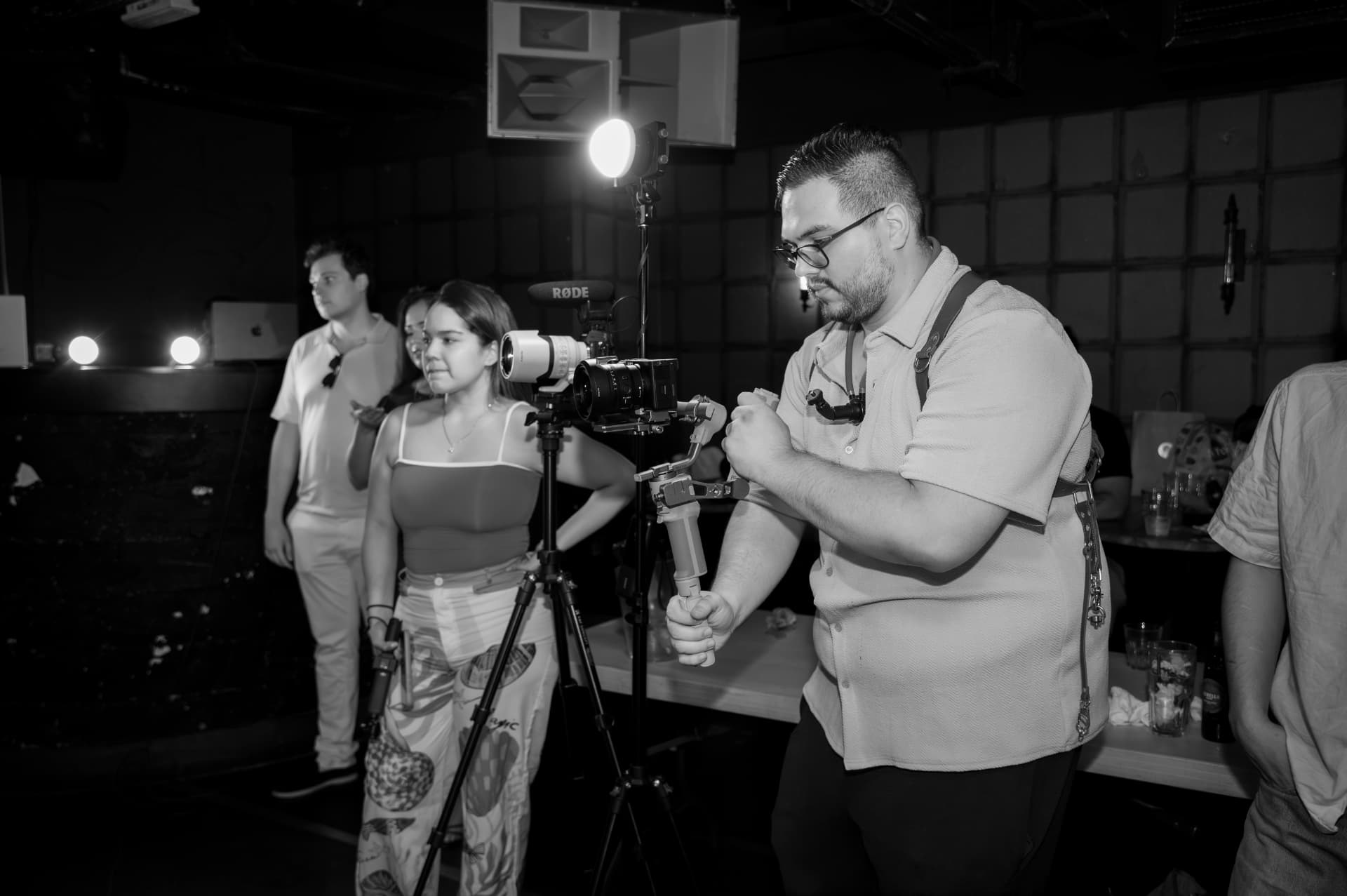
A second camera creates useful choices: a reaction, a safety angle, a closer detail or a cleaner edit point. It also creates a second interpretation of the same light. If each camera makes different automatic decisions, the audience may see skin tones, shadows or background colours move every time the edit cuts.
That inconsistency is often treated as a post-production problem. The more useful studio perspective is that it begins much earlier. Camera matching is a chain of decisions made at capture, recorded in the hand-over and then completed in the grade.
The missing ingredient is a common reference
Two cameras can both produce technically valid pictures and still disagree. One may use automatic white balance while the other holds a custom value. Their picture profiles may use different gamma curves or colour modes. One angle may include more of a bright practical light, changing its exposure judgement, while the other concentrates on a face.
Sony’s camera documentation makes the distinction clear. White balance can be automatic, preset, set by colour temperature or stored from a custom white reference. Its Picture Profile controls parameters including gamma, colour mode and detail. These are creative and technical choices, but they only help a multi-camera edit when the team knows whether the cameras are meant to match or intentionally differ.
The key question before recording is therefore not “Can we fix this later?” It is “What will both cameras use as their shared reference?”
Post-production can match footage, but it cannot invent missing information
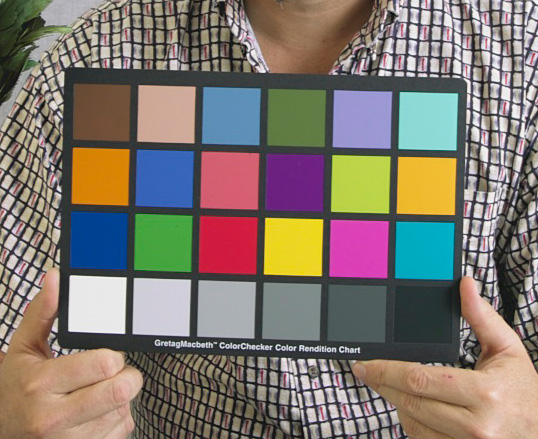
Blackmagic Design’s official DaVinci Resolve training describes normalising, balancing and matching footage, reading scopes and working with colour management. Resolve can also use standard colour charts to create a neutral starting grade. Those tools are valuable precisely because they work from evidence in the image.
They are not permission to be casual on set. A grade may reduce visible differences between cameras, but it cannot restore detail that was clipped in a highlight, remove every consequence of underexposure or know whether a warm face was intentional. If automatic white balance shifts during a take, the correction may also need to change over time rather than once per clip.
This is the practical boundary between correction and rescue. Good post-production is still needed. It simply works better when the capture gives it a stable target.
A short matching pass protects the hand-over
Before a two-camera setup rolls properly, give both cameras the same small test.
First, agree the recording format, frame rate and intended picture profile. They do not have to be identical when the creative plan calls for a difference, but the difference should be deliberate and written down.
Second, set white balance under the light that is actually falling on the subject. A custom white reference or a known neutral target is more repeatable than asking each camera to interpret the room independently.
Third, compare exposure using the camera’s measurement tools, not only the apparent brightness of two screens. Position, lens and sensor can still change the result, so the goal is a defensible baseline rather than identical menu numbers.
Finally, record a brief reference with the subject and, when available, a colour chart in both frames. Repeat it whenever the lighting changes materially. Label one angle as the matching anchor in the camera notes or hand-over sheet.
This ritual is modest, but it transfers intent. The editor receives more than two folders of clips; they receive a documented relationship between them.
The counterpoint: matching settings do not guarantee matching pictures
It would be misleading to reduce camera matching to copying settings. Different sensors, lenses, filtration, angles and reflected colours can all affect the image. A side angle may see cooler window light while the front camera sees a warmer key light. Even two identical camera bodies can need individual correction.
A colour chart is not a creative look, either. Blackmagic describes chart-based matching as a neutral starting point. The final image still needs human judgement: which skin tone feels credible, which contrast supports the subject, and whether a difference between angles serves the story or distracts from it.
The reference does not remove judgement. It removes some avoidable guessing.
One decision for the next two-camera shoot
Add a “matching pass” to the production brief. Before the first full take — and after every meaningful lighting change — record the same neutral reference and the subject on both cameras, note the shared profile and white balance, and identify the anchor angle.
Then keep the grade accountable to that record. If an angle still needs a different treatment, the editor can see where the technical match ends and the creative decision begins.
The business value is not a promise of perfect colour or faster delivery. It is clearer responsibility: production establishes the common reference, post-production interprets it, and the client reviews an intentional visual system rather than a sequence of unexplained corrections.
Sources
- Sony ILME-FX3 Help Guide — White Balance (accessed 9 October 2026) · 2026-10-09
- Sony ILME-FX30 Help Guide — Picture Profile (accessed 9 October 2026) · 2026-10-09
- Blackmagic Design — DaVinci Resolve Training (accessed 9 October 2026) · 2026-10-09
- Blackmagic Design — DaVinci Resolve Color (accessed 9 October 2026) · 2026-10-09
- Calibrite — ColorChecker Video Guide (accessed 9 October 2026) · 2026-10-09
- Gretag-Macbeth ColorChecker.jpg — Richard F. Lyon, public domain · 2000
- The Creative Design UK authorised studio archive — trabajando_ambos.jpg (uploaded 29 July 2026) · 2026-07-29
0 likes
0 comments
Working on something this applies to? Tell us.
Start a project